Are you working on a website that is in dire need of a scheduling service, but dont know wich one to choose? Look no further!
In this post we will compare two different scheduling/booking solutions: Calendly and Acuity Scheduling. What solution suits you?
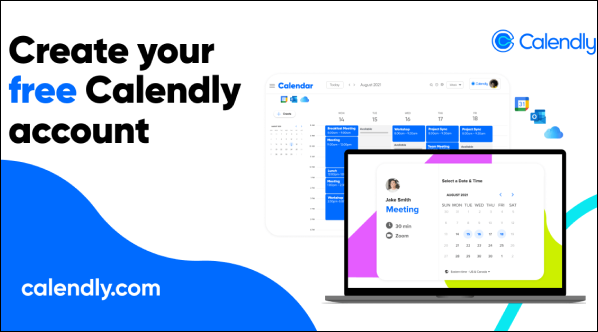
Calendly is probably the simplest solution, robust and pretty straight forward. The learning curve looks more like a straight line than a curve.
With this easy-to-use tool you can create a scheduling plugin on your website with a one-line code integration, Ctrl-C & Ctrl-V and it’s done!
You can publish available times for your customers to book you, or create recurring times, e.g every friday 11:00 or every workday 13:00. Because Calendly is so simple to use, it pretty much suits everyone.
You can integrate Zoom and Google Meets for online meetings, Stripe and Paypal for payment options and more!
The backside of Calendly is the customization limits. For example, you can only have one type of appointment. Calendly works best for customer meetings and/or one type of appointments.
Calendly has payment options, but also a free basic version for you to test it out!
+ Easy t0 use UI
+ Integrations with Zoom etc.
+ Simple integration into website
– Limitations in customization
– Won’t hold up for larger companies

Acuity Scheduling is a scheduling tool that is made for smaller businesses and private persons. The great thing about Acuity scheduling is the customization options.
Unlike Calendly, you have the power to publish several “Calendars” and post several appointments that your customers can book.
Though Acuity Scheduling is a bit harder to learn (the learning curve is actually a curve), it will pay off in the long run. If you are a growing business or an aspiring freelancer, Acuity Scheduling can hold up with a speedy company growth.
With Acuity Scheduling, you can do all the things you can with Calendly, and much more. You can have several kinds of appointments, and they will originate from the same calendar, so you’re never double-booked! Oh, and they offer one line integration into your website!
If your company has more than one employee that requires a bookable schedule, you can easily create more than one calendar. One of the many customizable options that Acuity Scheduling has is a function that reduces waiting times between appointments. If a customer books 13:00-14:00, other customers can only book appointments before or after the 13:00-14:00 booking, so you don’t have to spend all day waiting!
+ Several scheduling options
+ Different appointments on same schedule
+ Alot of customizable options and integrations
– Hard to get into, alot of different settings and options to attend.
Both Calendly and Acuity Scheduling are powerful services. They offer different benefits and has their limitations, tough you will definitely find one that suits you.
If you’re a startup Company that is searching for a solution for customer leads to book meetings with you, then we would recommend Calendy for its easy to use interface and straight forward design.
Acuity is better for established companies that needs an easier way to book customers, with their easy integrations with Zoom, Stripe and alot of calendars.